

(and Why That’s Actually Smart)
For years, “no-code” platforms promised the same thing:
Build apps without developers.
And for a while, that worked. Well, at least for simple workflows. But AI has shifted the expectation.
Suddenly, it’s not just about dragging boxes around a screen. It’s about reasoning. Context. Multimodal input. Automation that actually understands what you’re asking. That’s the gap Google AI Studio is stepping into.
And the surprising bit? Google is giving it away.
Not as a trial. Not as a cut-down teaser. But as a genuinely capable AI build environment.
That isn’t generosity. It’s strategy.
From No-Code to AI-Native Platforms
Traditional no-code tools were built around UI and process flow. Forms in. Logic in the middle. Output at the end. AI-native platforms flip that model. They’re designed around:
- Reasoning, not rules
- Natural language, not rigid inputs
- Multimodal data (text, images, audio, documents) all treated as first-class citizens
Google AI Studio isn’t Google turning up late to the no-code party. It’s Google quietly changing what the party is about.
What Google AI Studio Actually Is (In Plain English)
At its core, Google AI Studio is a browser-based workbench for building AI-powered apps and workflows. You get:
- Direct access to Google’s Gemini models
- A space to experiment, prototype, and refine ideas
- A clear path from “this might work” to “this is in production”
What it isn’t:
- Just a chatbot
- Just a prompt playground
- Just a developer IDE
It’s closer to an AI application workshop, somewhere between a dev tool and a business enabler.
What You Get Out of the Box (Without Paying)
This is where Google raises eyebrows.
Built-In Gemini Models
Straight away, you can work with:
- Text reasoning
- Image understanding
- Multimodal prompts (documents + images + text)
- Audio and streaming inputs
No separate API keys to start.
No juggling multiple subscriptions.
For experimentation, that matters.
Multiple Ways to Build
You’re not locked into one mindset.
- Chat-based exploration
- Structured prompt design
- App-style workflows
- Streaming and real-time interactions
That flexibility makes it usable for both technical and semi-technical teams.
A Real Path to Production
Crucially, this isn’t a dead-end sandbox.
- You can export code and API calls
- Logic isn’t trapped in a proprietary UI
- Hosting decisions don’t have to be made on day one
This is free to build, not “free until you get serious”.
Where Google Quietly Pulls Ahead: The Ecosystem Effect
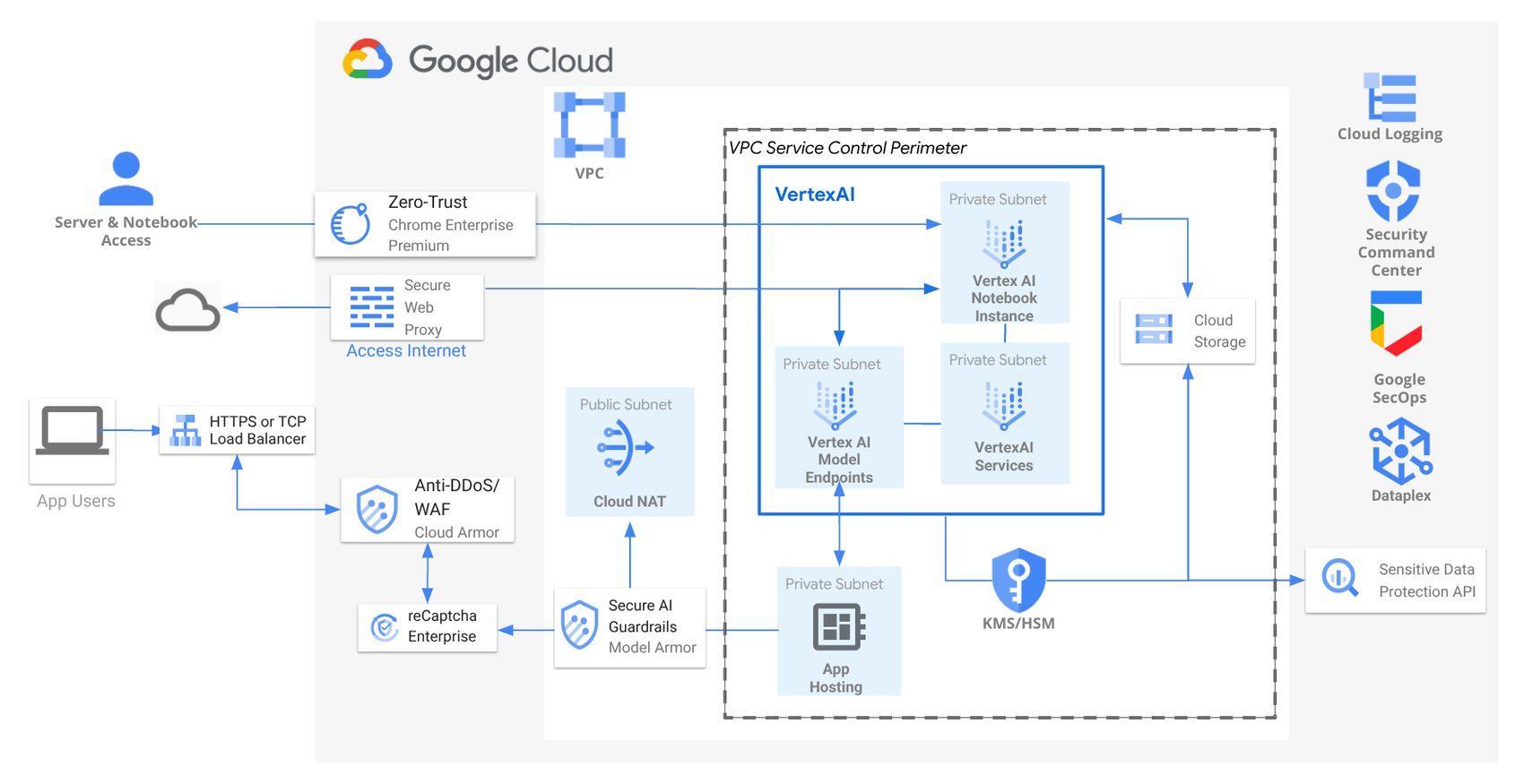
Most AI builders look good in isolation. Google AI Studio looks good in context.
First-Party Ecosystem Access
Because it’s Google:
- Gemini models are first-party, not bolted on
- Grounding via Google Search is native
- Data from Google Drive can be used without elaborate integrations
Less glue code. Less maintenance. Fewer things breaking at 2am.
Why That Matters for Businesses
For real organisations, speed isn’t about typing faster. It’s about:
- Fewer moving parts
- Fewer vendors to manage
- Fewer surprise costs as things scale
And that’s where ecosystems quietly win.
How It Stacks Up Against Other Platforms
This isn’t a knock on existing tools. Many are excellent. But the differences are becoming clearer.
Replit
Strengths
- Fast setup
- Strong collaborative coding
- Developer-friendly environment
Limitations
- AI is more add-on than foundation
- Hosting and usage costs appear quickly
Lovable
Strengths
- Very fast AI app generation
- Low friction for simple ideas
Limitations
- Feature gating as you grow
- Shallower multimodal capability
Where Google AI Studio Wins
- First-party AI models
- Multimodal by default
- No immediate hosting or subscription pressure
It’s not about being “better”.
It’s about being deeper.
The Hosting Question Everyone Asks
“Free” always triggers suspicion. And fairly so. If you already have:
- Hosting
- Lab environments
- Existing infrastructure
AI Studio can remain just the build layer. If you don’t, Google hosting becomes the obvious next step.
That’s not trickery. That’s gravity. Google isn’t hiding the business model. They’re simply letting value appear before invoices do.
Why Google Is Really Giving This Away
This move isn’t about charity. It’s about:
- Lowering the barrier to experimentation
- Letting teams prove value before committing spend
- Encouraging builds inside Google’s wider ecosystem
The bet is simple:
If people build here, they’ll scale here.
That’s not lock-in by force. It’s lock-in by convenience.
Why This Is Genuinely Good News for SMBs
For smaller businesses, this matters more than it does for enterprises.
- You can test AI ideas without financial risk
- You can move from idea to working tool quickly
- You don’t need a budget sign-off just to see if something’s viable
The real challenge comes after success. Governance, cost control, and scaling sensibly. That’s where strategy matters more than tooling.
The Bigger Picture
AI platforms are becoming the new operating layer for applications.The winners won’t be the ones with:
- The most templates
- The loudest marketing
- The flashiest demos
They’ll be the ones with:
- Deep ecosystems
- Clear paths from idea to production
- Fewer friction points as things grow
Google AI Studio is an early signal of where this market is heading.
Final Thought
The question isn’t whether businesses will use AI studios. It’s which ecosystem they’ll build in — and how deliberately they’ll do it. Free tools are easy. Smart choices take a bit more thinking. And that thinking is where the real advantage sits.
Nxt Steps
If you’d like to explore how tools like Google AI Studio can transform your business, book a call with us today.

Ben helps growing businesses turn technology into a driver of performance instead of a barrier. At Nxt Gen IT he works with SME leaders, recruiters, and fast-scaling teams to design solutions that improve reliability, strengthen security, and unlock growth.
With a background in email deliverability and cloud systems, Ben specialises in making sure businesses communicate effectively, keep data safe, and get the most from Microsoft 365. His experience spans solution design, managed IT services, and virtual CIO support, always with a focus on practical outcomes that reduce headaches for business owners.
Ben has supported organisations across the UK, from recruitment agencies struggling with inbox placement to SaaS firms scaling fast, and SMEs needing a trusted partner for their IT. He believes tech is never the end goal: growth is. His role is to make sure technology never gets in the way of it.